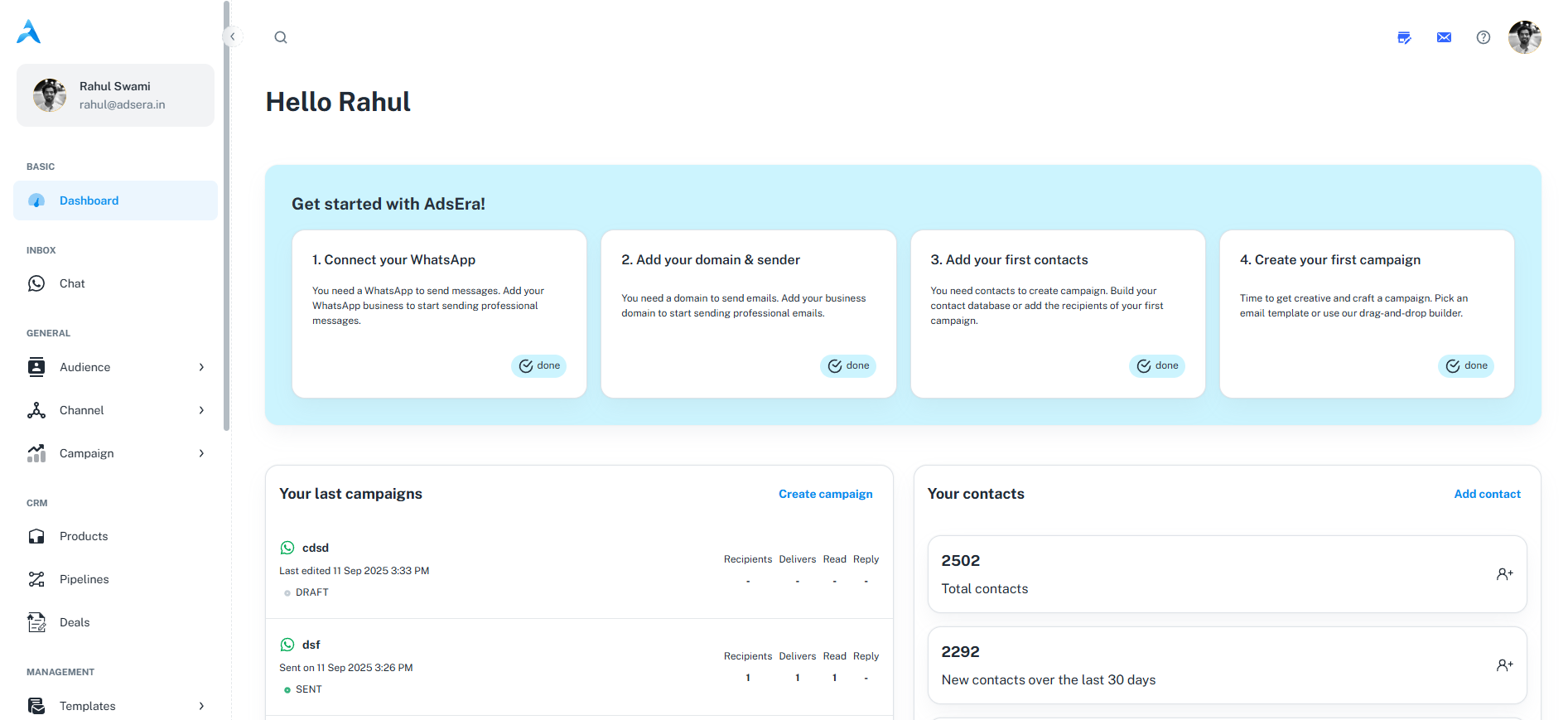
- New User Dashboard
- Active Dashboard
When you first sign up, the dashboard is designed to guide you through the essential setup steps to launch your first campaign successfully.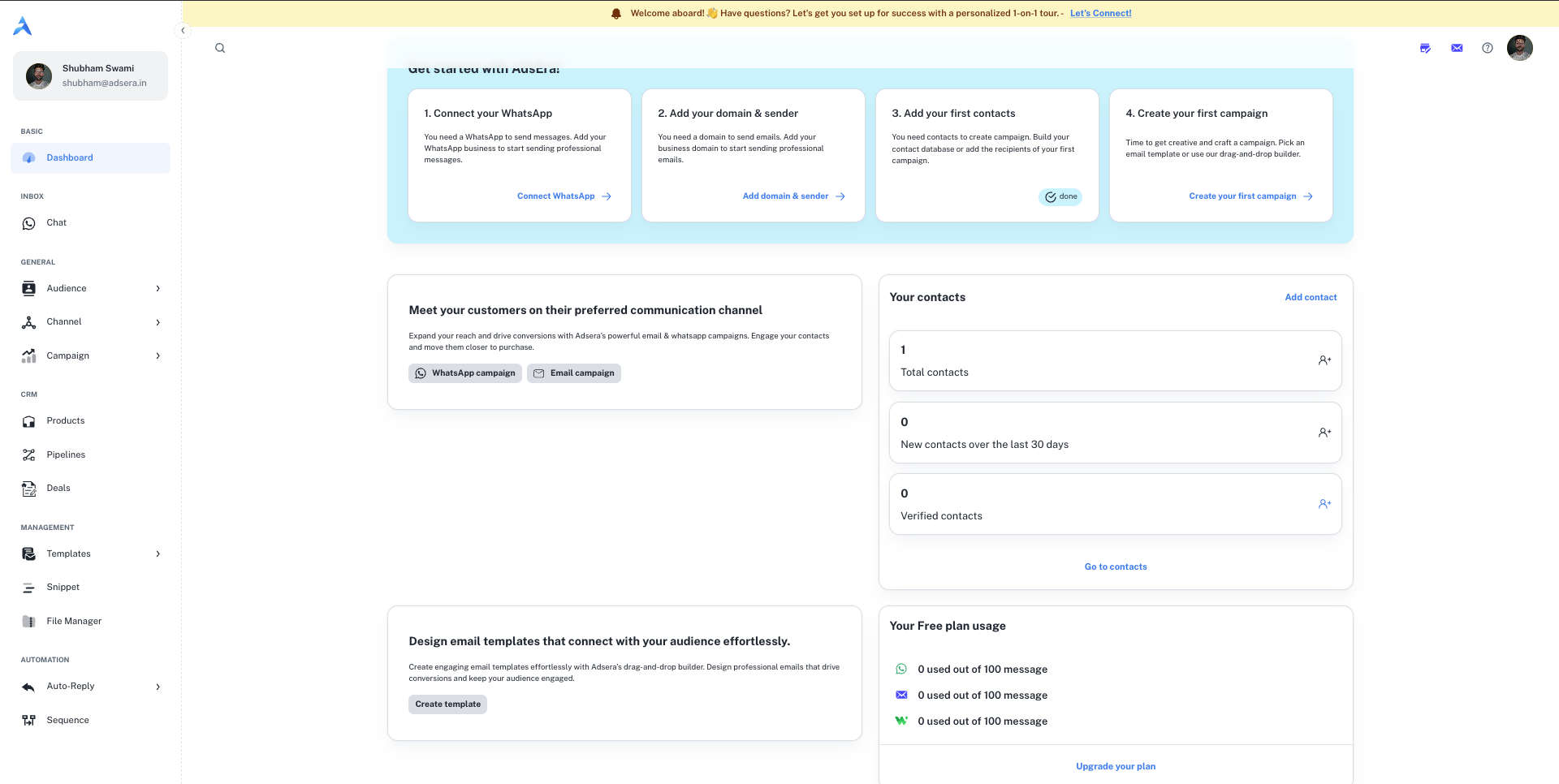
The “Get Started” Checklist
This is your primary onboarding tool. It tracks your progress on four crucial setup tasks:- Connect your WhatsApp: Link your WhatsApp Business account to enable messaging campaigns.
- Add your domain & sender: Configure and verify your email domain to send emails professionally.
- Add your first contacts: Upload your audience list to start building your contact database.
- Create your first campaign: Design and launch your first WhatsApp or Email campaign.
Other Key Sections
- Quick-Start Cards: You’ll find cards that prompt you to start a WhatsApp or Email campaign, create an email template, or add contacts.
- Plan Usage: This card shows the limits of your current plan (e.g., the Free plan) so you can track your usage.
- Upgrade CTA: A prominent “Upgrade Now” button allows you to explore paid plans with higher limits and more features.