

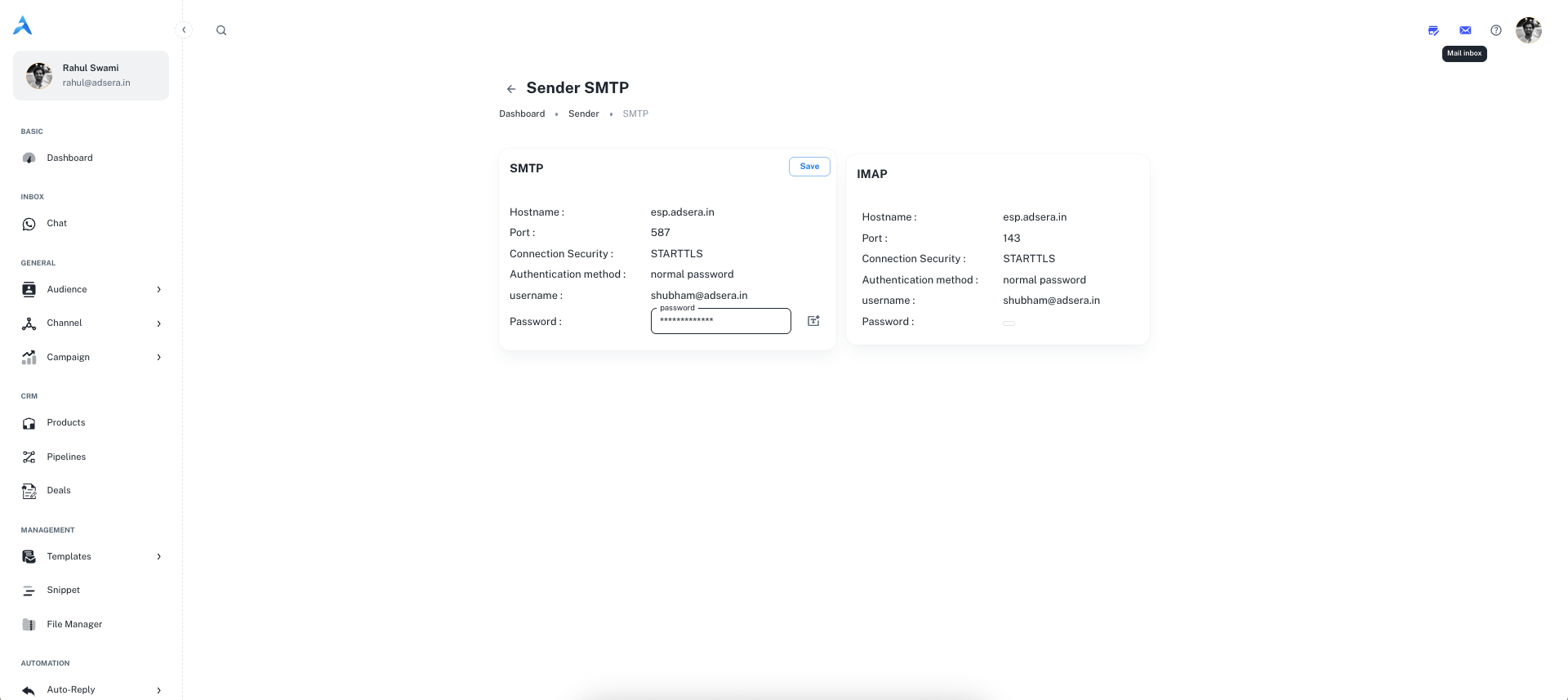
Accessing Your Credentials
To access this page, navigate to Channel > Email, click the Senders tab, and click the email icon (✉️) next to the desired sender.Use Your Senders Anywhere
The SMTP/IMAP credentials allow you to use your sender address in third-party email clients like Thunderbird or Outlook. You can also use them to manage replies in our own AdsEra Mail Inbox.
SMTP (Outgoing Mail)
Use these settings to configure an external client to send emails through your AdsEra sender address.string
esp.adsera.instring
587string
STARTTLSstring
normal passwordstring
Your full sender email address (e.g.,
[email protected]).string
The unique password generated for this sender. You can click the wand icon (🪄) to generate a new, secure password at any time.
IMAP (Incoming Mail)
Use these settings to configure an external client to receive and sync emails sent to your AdsEra sender address.string
esp.adsera.instring
143string
STARTTLSstring
normal passwordstring
Your full sender email address.
string
This uses the same password as your SMTP settings.