

The Product List
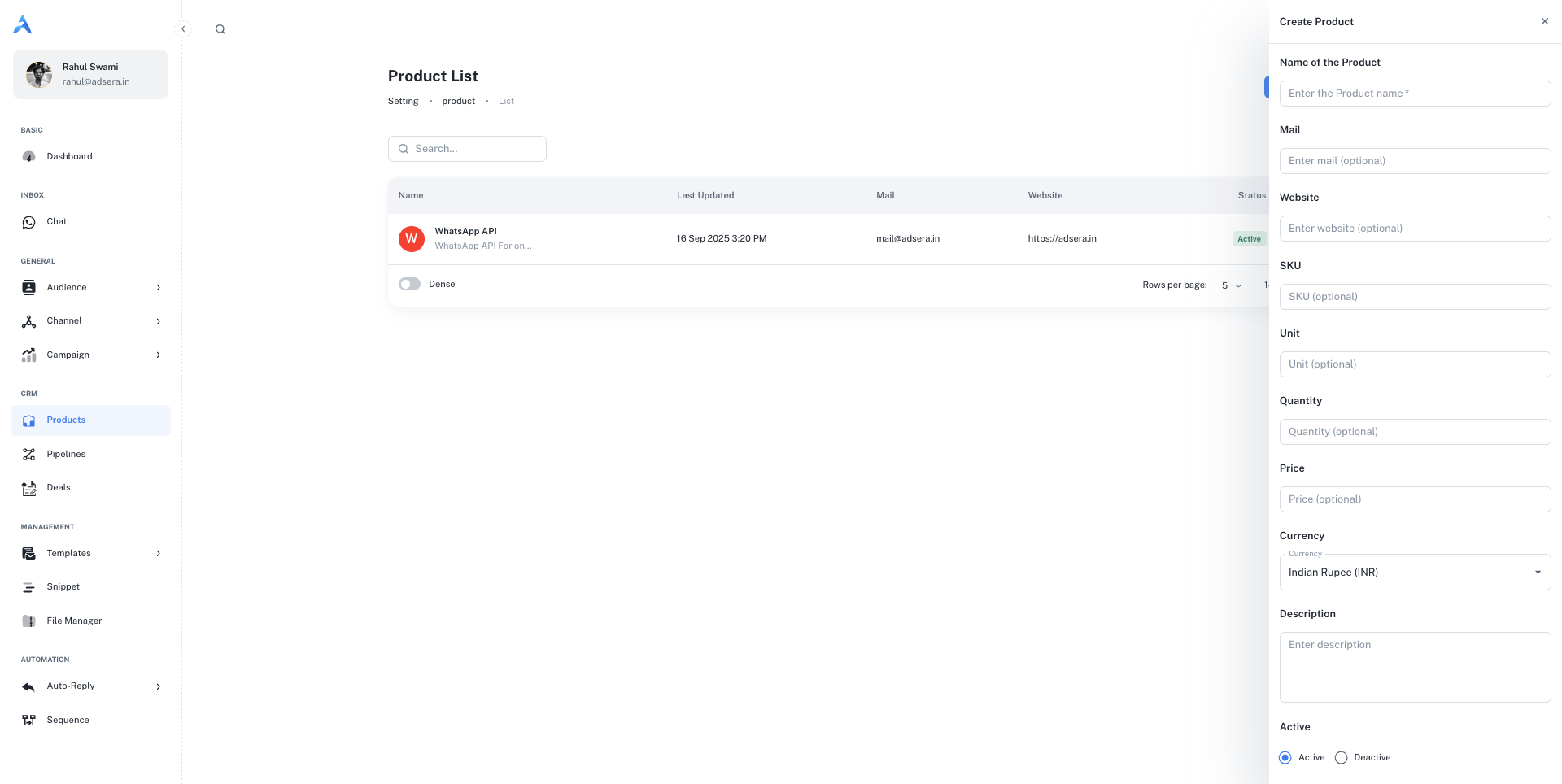
This page displays all the products you’ve created in a clear, sortable table.- Search: Use the search bar at the top to quickly find a product by name.
- New Product: Click the ”+ New Product” button in the top-right to open the creation panel.
Understanding the Table Columns
Creating and Editing a Product
Clicking ”+ New Product” or the Edit option on an existing item will open a side panel where you can define all the product’s details.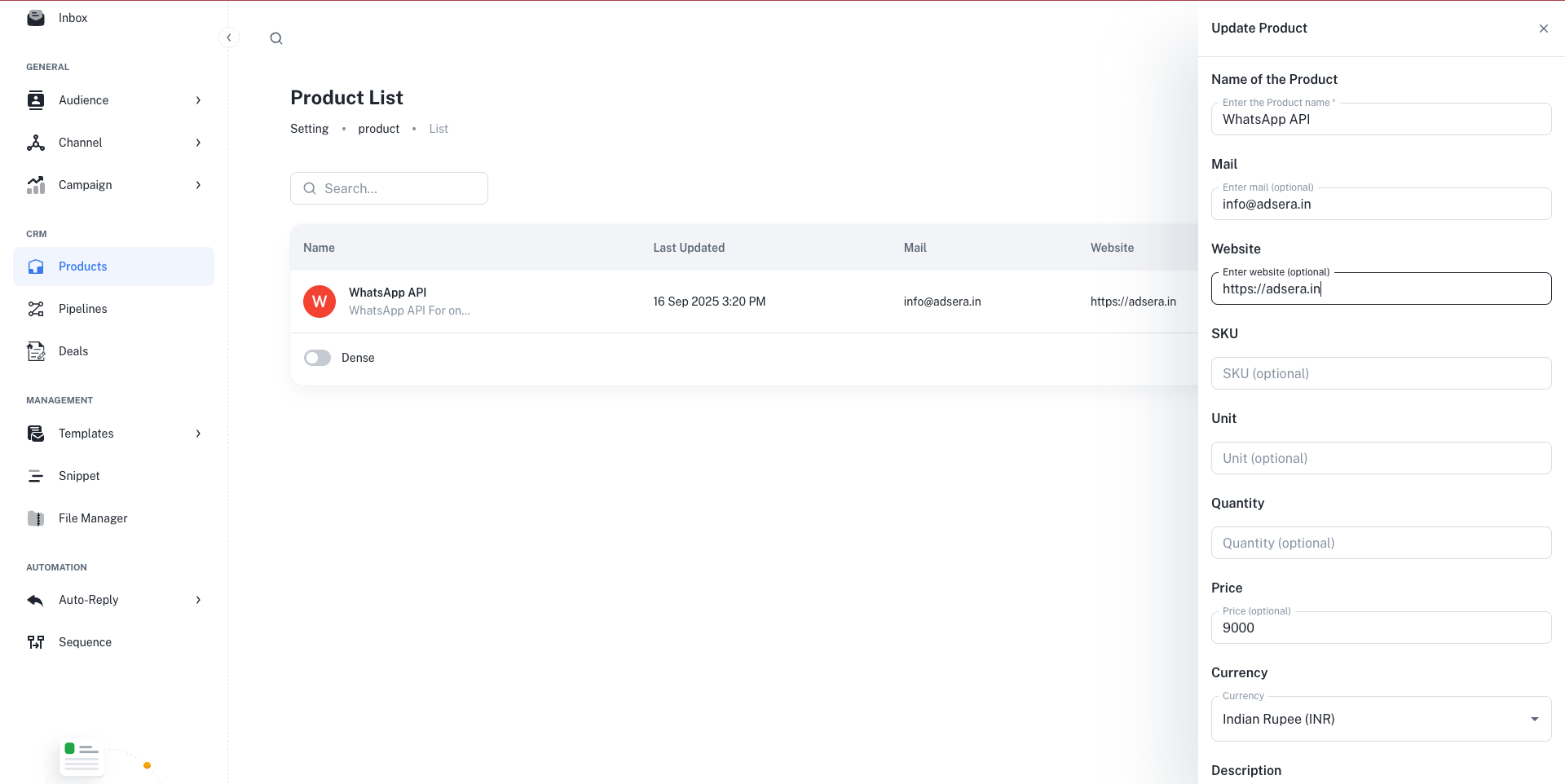
Core Product Details
Core Product Details
- Name of the Product (Required): A clear, descriptive name for your product or service.
- Mail (Optional): A contact email for product-specific inquiries.
- Website (Optional): A direct link to the product’s landing page.
- Description (Optional): A multi-line field to add more detailed information about the product.
Inventory & Pricing
Inventory & Pricing
- SKU (Optional): The Stock Keeping Unit or any unique internal identifier for the product.
- Unit (Optional): The unit of measurement (e.g., “per user,” “kg,” “license”).
- Quantity (Optional): The available stock quantity.
- Price (Optional): The price of a single unit.
- Currency: The currency for the price (e.g., INR, USD).
Status
Status
- Active: The product is available and can be added to new deals.
- Deactive: The product is archived or unavailable and cannot be added to new deals.
Once you’ve filled in the details, click “Create Product” or “Save Changes” at the bottom of the panel to save your work.
How Products Integrate with Deals
The primary purpose of creating products in AdsEra is to link them to your sales process.Connecting Products to Deals
When you create or edit a Deal in one of your Pipelines, you can associate one or more of these products with it. This helps you:
- Automatically calculate the deal’s total value.
- Track which products are selling the most.
- Provide your sales team with clear information about what’s included in each potential sale.