

Navigating to Company Settings
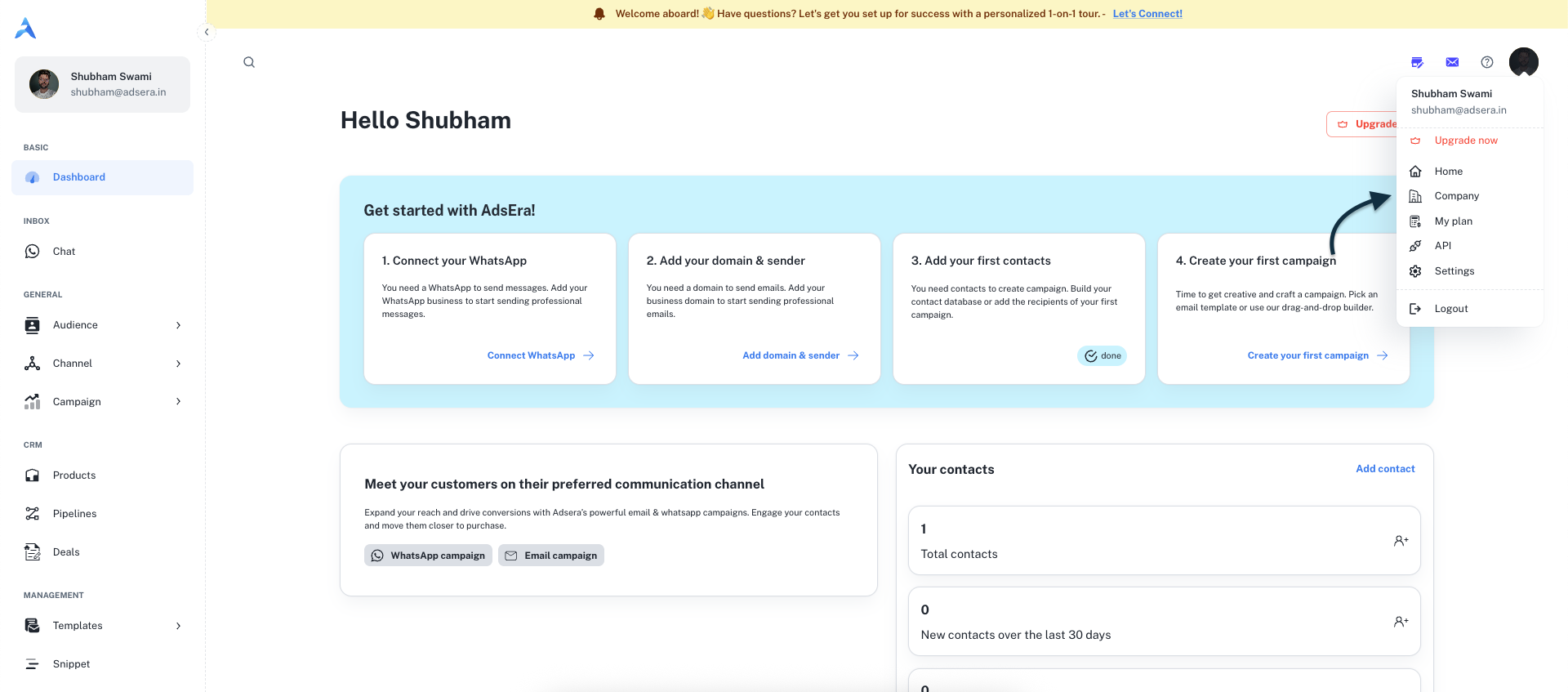
You can access your company’s settings directly from the main header bar in your dashboard.- Click on your profile avatar in the top-right corner.
- A dropdown menu will appear.
- Select Company from this menu to open the Company Settings page.
Company Information Form
This page contains a single form to update all your company’s details.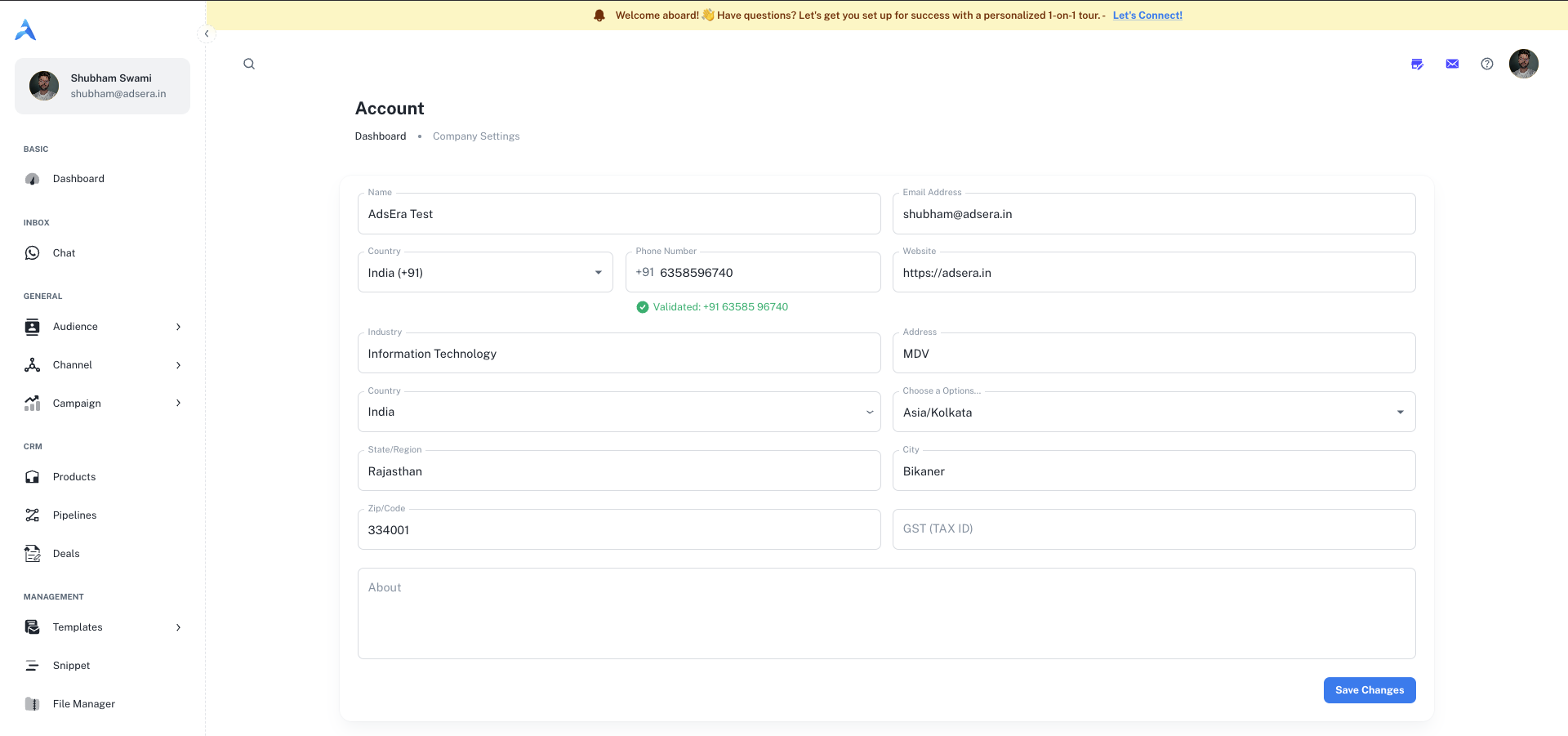
Basic Details
string
required
The official name of your company or organization.
string
required
The primary email address for your company. This may be used for billing and important notifications.
string
required
Your company’s primary contact phone number, including the country code.
string
required
The URL of your company’s official website (e.g.,
https://adsera.in).string
required
The industry your business operates in (e.g., “Information Technology”, “E-commerce”).
Location & Timezone
string
required
The physical street address of your company.
string
required
The country where your company is located.
string
required
The state, province, or region.
string
required
The city where your company is based.
string
required
The postal or zip code for your address.
string
required
Select your company’s primary time zone. This is crucial for accurate campaign scheduling and reporting.
Billing & Invoicing
“Accuracy in your billing details isn’t just about numbers; it’s about seamless operations. The information here ensures your invoices are correct and your service remains uninterrupted.”
string
Your company’s Goods and Services Tax number or other relevant tax identification number. This will appear on all official invoices.
string
A brief description of your company. This is for internal reference.