

- Save Time: Drastically reduce the time it takes to answer frequently asked questions.
- Ensure Consistency: Maintain a consistent brand voice and ensure accuracy across all agent responses.
- Improve Efficiency: Allow your team to handle more conversations by streamlining their workflow.
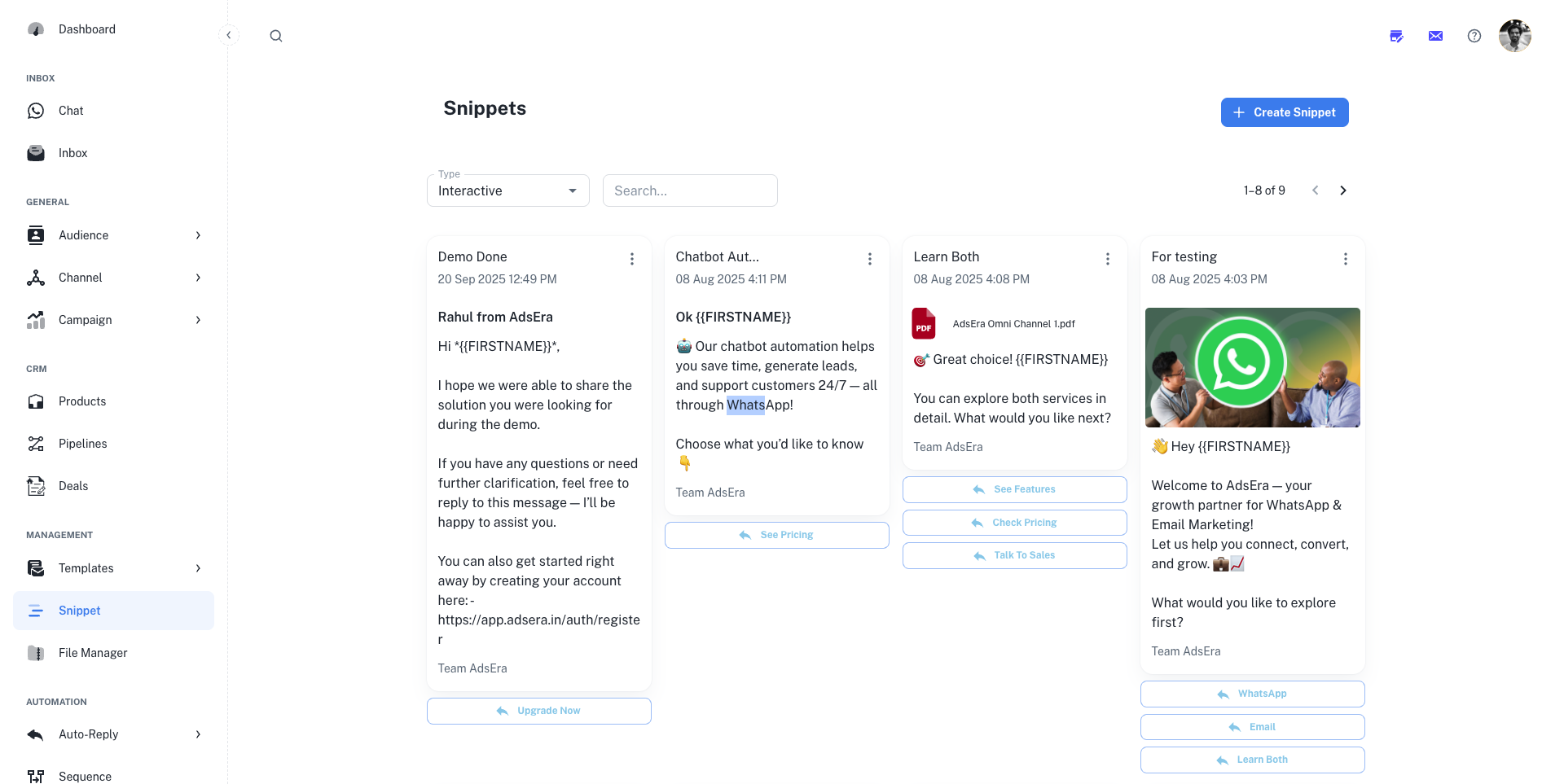
Managing Your Snippet Library
This page provides a visual gallery of all your snippets, allowing you to quickly find, review, and manage your saved replies.Filtering and Searching
At the top of the page, you can filter the gallery to find specific snippets:- Type: Filter by the type of snippet. The most common type is Interactive, which can include text, media, and buttons.
- Search: Use the search bar to find a snippet by its title or content.
Snippet Actions
Create a New Snippet
Click the ”+ Create Snippet” button to build a new reusable message. Our step-by-step guide will walk you through the entire creation process.
Edit or Delete
Use the three-dots (…) menu on any snippet card to open the editor and make changes, or to permanently delete it from your library.
How to Use Snippets
Speed Up Your Conversations
Snippets are designed to be used directly within the WhatsApp Chat Inbox. When composing a reply to a customer, your agents can access the snippet library, search for the appropriate response, and insert it into the conversation with a single click.