> ## Documentation Index
> Fetch the complete documentation index at: https://docs.adsera.in/llms.txt
> Use this file to discover all available pages before exploring further.
# Managing Snippets
> Create and manage reusable message blocks (snippets) to answer common questions and speed up your conversations.
**Snippets** are pre-written, reusable message blocks that your agents can quickly insert into conversations in the **WhatsApp Chat Inbox**. Think of them as "quick replies" for your most common questions and responses.
**Want to manage Snippets? [Go to the AdsEra Snippets Page →](https://app.adsera.in/dashboard/snippets/list)**
Using snippets is a powerful way to:
* **Save Time:** Drastically reduce the time it takes to answer frequently asked questions.
* **Ensure Consistency:** Maintain a consistent brand voice and ensure accuracy across all agent responses.
* **Improve Efficiency:** Allow your team to handle more conversations by streamlining their workflow.
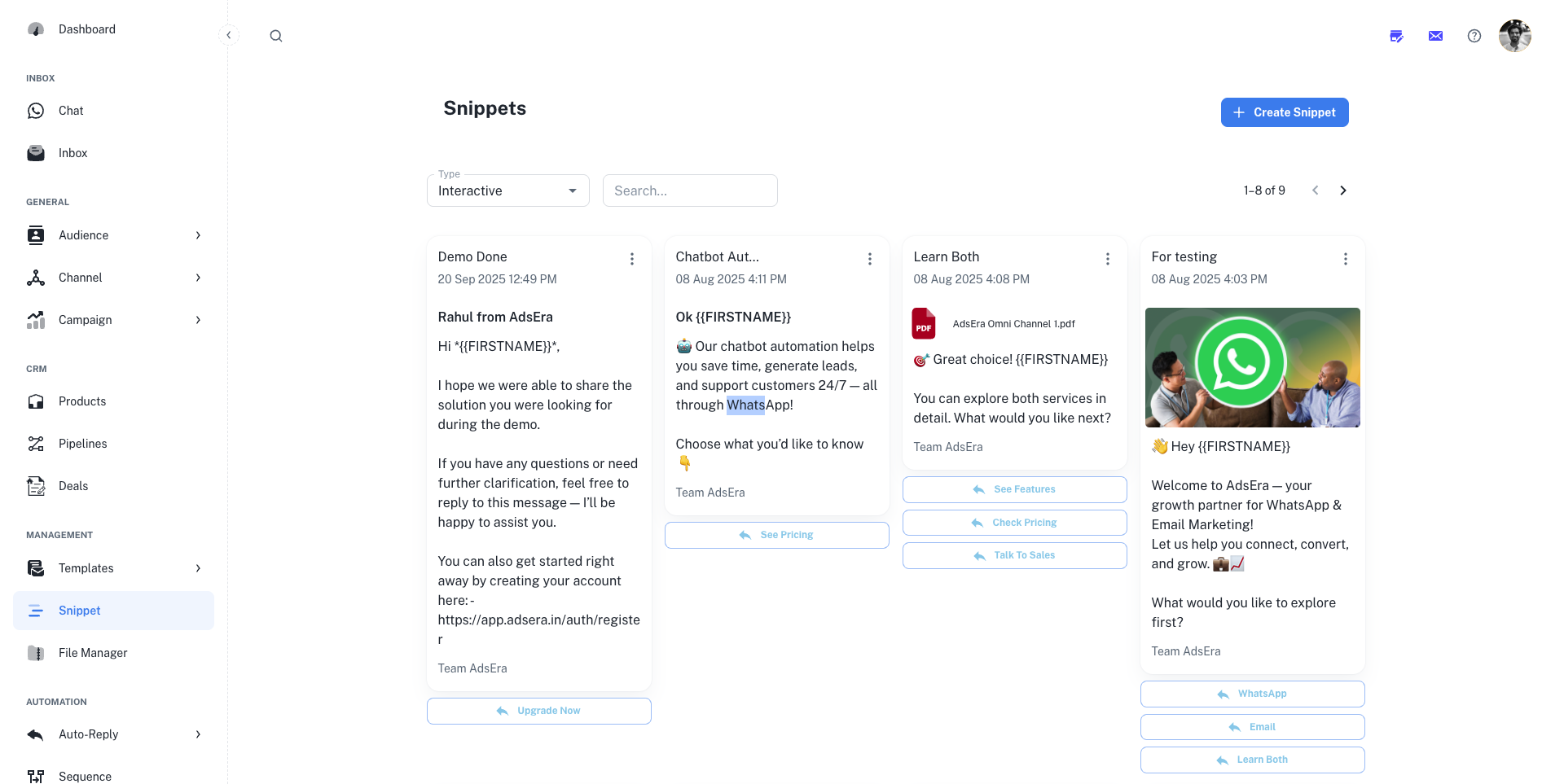
### Managing Your Snippet Library
This page provides a visual gallery of all your snippets, allowing you to quickly find, review, and manage your saved replies.
#### Filtering and Searching
At the top of the page, you can filter the gallery to find specific snippets:
* **Type:** Filter by the type of snippet. The most common type is **Interactive**, which can include text, media, and buttons.
* **Search:** Use the search bar to find a snippet by its title or content.
#### Snippet Actions
Click the **"+ Create Snippet"** button to build a new reusable message. Our step-by-step guide will walk you through the entire creation process.
Use the **three-dots (...) menu** on any snippet card to open the editor and make changes, or to permanently delete it from your library.
***
## How to Use Snippets
Snippets are designed to be used directly within the **WhatsApp Chat Inbox**. When composing a reply to a customer, your agents can access the snippet library, search for the appropriate response, and insert it into the conversation with a single click.